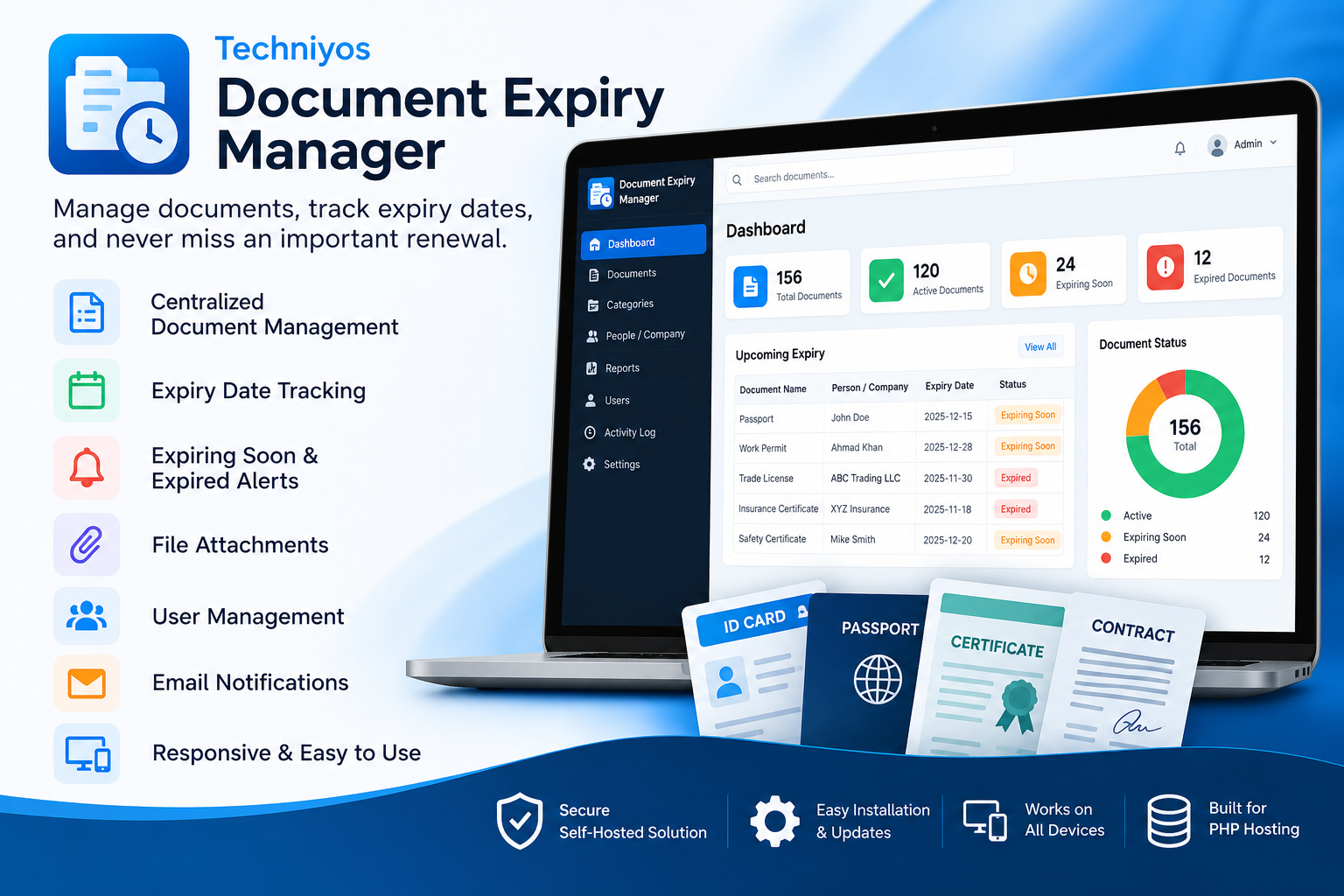
Document Expiry Manager by Techniyos
Manage documents, track expiry dates, receive timely alerts, and keep important business records organized with Techniyos Document Expiry Manager.
- Version 1.1.6
- Single Domain license · 1 activation
- License validity: Lifetime
- 1 months of updates, 1 months of support
Never Miss an Important Document Renewal
Managing documents with expiry dates can become difficult as your business grows. Employee IDs, passports, work permits, certificates, licenses, contracts, insurance documents, and other important records all require regular monitoring and timely renewal.
Techniyos Document Expiry Manager is a powerful yet simple PHP-based document management solution designed to help businesses organize important documents, track expiry dates, monitor renewal requirements, and keep critical records under control.
Instead of relying on spreadsheets, paper files, or manual reminders, you can manage your documents from one centralized web-based application.
📁 Centralized Document Management
Keep all your important document records organized in one place.
Create document records with essential information such as:
- Document name
- Document number
- Category
- Person or company
- Issue date
- Expiry date
- Notes
- Document attachments
This makes it easier to find information whenever you need it.
📅 Track Expiry Dates Easily
Never rely on memory to remember when an important document expires.
Techniyos Document Expiry Manager lets you record expiry dates and monitor document status from the dashboard.
Quickly identify documents that are:
- Active
- Expiring Soon
- Expired
This helps your team take action before important documents become invalid.
🔔 Stay Ahead of Expiring Documents
Upcoming expiry dates can be monitored so your team has time to start the renewal process.
This is particularly useful for businesses managing large numbers of employee and company documents.
Instead of discovering that a document has already expired, you can identify upcoming expirations and plan renewals in advance.
📎 Store Document Attachments
Keep the actual document file together with its record.
For example, you can maintain:
- Passport copies
- ID documents
- Certificates
- Licenses
- Contracts
- Insurance documents
- Permits
- Training certificates
This reduces the need to search through separate folders when a document is required.
📊 Powerful Dashboard
The dashboard provides a quick overview of your document records.
See important information such as:
Total Documents
View the total number of records managed by the system.
Active Documents
See documents that are currently valid.
Expiring Soon
Identify documents that require attention.
Expired Documents
Quickly identify documents that have already expired.
The dashboard gives administrators a simple way to understand the current document situation at a glance.
🔎 Search and Organization
As your document database grows, finding a specific record can become challenging.
The application provides search and organization features that help you locate records faster without manually checking multiple files or folders.
👥 Ideal for Employee & Workforce Documentation
Businesses managing employees and workforce documentation can use the software to track important records such as:
- Employee IDs
- Passports
- Work permits
- Certificates
- Training records
- Contracts
- Medical-related certificates where applicable
- Safety certificates
- Other employee documents
This makes the system particularly useful for contractors, workforce companies, construction companies, maintenance companies, and other organizations managing employee documentation.
🏢 Manage Company Documents
The software is not limited to employee documents.
You can also manage company-related documents such as:
- Business licenses
- Insurance documents
- Contracts
- Certifications
- Permits
- Supplier documents
- Customer agreements
- Equipment certificates
- Project documentation
Use one system to monitor different types of documents across your organization.
📧 Email & Notification Support
Configure your email settings to support notification-related features.
Email functionality can help businesses communicate important expiry and renewal information to the appropriate users.
🔐 Secure User Access
Techniyos Document Expiry Manager includes user management and role-based access control.
This allows administrators to control who can access the system and what actions users can perform.
Additional security-related features include:
- Secure login
- User management
- Role-based permissions
- Activity logging
- License validation
💻 Self-Hosted PHP Software
Techniyos Document Expiry Manager is a self-hosted PHP application.
Instead of subscribing to a third-party document management platform, you can install the software on your own compatible hosting environment.
This provides greater control over your application, hosting environment, and stored business data.
You can run the application on a domain or subdomain such as:
https://documents.yourcompany.com
📱 Responsive Web Interface
Access the application from modern desktop and mobile browsers.
The responsive interface allows your team to manage documents from:
- Desktop computers
- Laptops
- Tablets
- Smartphones
Whether you're in the office or working remotely, your document records can remain accessible through your web browser.
🔑 License Activation & Validation
Techniyos Document Expiry Manager uses an online license activation system connected to the Techniyos Store.
After purchasing the software, activate your license from:
Settings → License
The software verifies the license with the Techniyos license server.
The system can identify situations such as:
- No license activated
- Invalid license
- Expired license
- Domain mismatch
- Valid active license
When a valid license is activated, the license activation notification is automatically hidden.
Licenses are available from the Techniyos Store.
🔄 Easy Software Updates
Keeping your software updated is simple.
Techniyos Document Expiry Manager includes:
Settings → Software Update → Manual (ZIP)
Official update packages can be uploaded directly through the application.
The update process is designed to:
1. Verify the new software version
2. Create a backup
3. Preserve configuration
4. Preserve stored documents
5. Update application files
6. Apply required database migrations
This makes future upgrades easier and safer.
💾 Backup-Friendly Architecture
Before performing supported software updates, the application can create a backup of the existing installation.
This provides an additional layer of protection when applying new software versions.
Regular independent hosting and database backups are still recommended.
🚀 Simple Installation
Techniyos Document Expiry Manager is designed for standard PHP hosting environments.
The installation process involves:
1. Creating a MySQL/MariaDB database
2. Uploading the software
3. Configuring the database
4. Completing the installation
5. Creating the administrator account
6. Activating the software license
Once installed, you can start adding your document records immediately.
🏗️ Designed for Real Business Use
Document expiry management is important across many industries.
Construction & Contracting
Track employee documents, certificates, permits, safety documentation, company licenses, and project-related records.
Workforce & Staffing Companies
Manage employee IDs, passports, work permits, contracts, certificates, and other workforce documentation.
Trading Companies
Track company licenses, supplier documents, contracts, insurance, and certifications.
Maintenance Companies
Manage technician certificates, equipment documentation, service contracts, and safety records.
Small & Medium Businesses
Replace spreadsheets and manual expiry tracking with a dedicated document management system.
⭐ Key Features
- Centralized document management
- Document categories
- Document number tracking
- Issue date tracking
- Expiry date tracking
- Active document monitoring
- Expiring soon monitoring
- Expired document tracking
- Document file attachments
- Dashboard overview
- Search and filtering
- Employee and company records
- Renewal management
- Email notifications
- User management
- Role-based access control
- Activity log
- Secure login
- License activation
- Online license verification
- Domain validation
- Manual ZIP software updates
- Database migration support
- Backup before updates
- Self-hosted PHP application
- Responsive web interface
Why Choose Techniyos Document Expiry Manager?
A spreadsheet can record an expiry date, but a dedicated application makes it much easier to manage documents as your business grows.
With Techniyos Document Expiry Manager, you get a focused solution for organizing documents and monitoring expiry dates without the complexity of a large enterprise platform.
Manage
Keep important documents organized.
Monitor
Track upcoming and expired documents.
Act
Identify documents that need renewal.
Control
Manage users and access from one application.
Maintain
Keep your software updated through the built-in update system.
Get Started Today
If your business manages documents with expiry dates, don't wait until an important document has already expired.
Techniyos Document Expiry Manager gives you a centralized, practical, and self-hosted solution for managing document records and staying ahead of renewal dates.
Organize your documents. Track expiry dates. Stay prepared.
- Document Management
- Document Categories
- Document Number Tracking
- Issue Date Tracking
- Expiry Date Tracking
- Expiry Status Monitoring
- Expiring Soon Alerts
- Expired Document Alerts
- Document File Attachments
- Centralized Document Records
- Dashboard Overview
- Quick Search
- Document Filtering
- Company & Employee Records
- Renewal Management
- Email Notifications
- User Management
- Role-Based Access Control
- Activity Log
- Secure Login
- License Activation & Validation
- Online License Verification
- Manual ZIP Software Updates
- Automatic Database Migrations
- Backup Before Updates
- Self-Hosted PHP Application
- Responsive Web Interface
Database :: MySQL 5.7+ or MariaDB 10.4+
Web Server :: Apache or Nginx
PHP PDO Extension :: Required
PHP cURL Extension :: Required for license verification and online services
PHP ZIP Extension :: Required for software updates
PHP Fileinfo Extension :: Required for file uploads
PHP OpenSSL Extension :: Required for secure connections
PHP JSON Extension :: Required
PHP Mbstring Extension :: Recommended
SSL Certificate :: HTTPS/SSL strongly recommended
Database :: MySQL/MariaDB database with permission to create and modify tables
File Permissions :: Web server must have write access to required storage/upload directories
Internet Connection :: Required for online license activation and validation
Browser :: Modern Chrome, Edge, Firefox, Safari, or equivalent browser
- Suspended/expired/invalid licenses now immediately change the local license status to invalid after online validation.
- Added periodic online validation of active licenses (every 5 minutes) so Store-side suspension is reflected in the application.
- Temporary license-server connection failures do not invalidate a previously active license.
- Added compatibility with deployed Techniyos Store APIs that require product_id.
- License activation, validation, and deactivation now retry with the configured product ID when the Store reports that product_id is required.
- Kept product_slug support for newer Store APIs.
1.1.3 - Bug Fixes
1.1.2 - Bug Fixes
1.1.1 - manual update
- Added Settings > Software Update > Manual (ZIP).
- Manual updates create a full backup, replace application files while preserving local configuration and storage, and run pending database migrations.
- Increased application version to 1.1.1.
1.1.0 (Phase 2) - database migration 2
- Reminder engine with multiple stages (90/60/30/7/1 days + expired), duplicate-safe, retries failed sends
- SMTP e-mail (PHPMailer if installed, built-in SMTP client otherwise), professional HTML template, SMTP test
- cron/send_reminders.php, reminder log, in-app notifications (bell), dashboard alerts
- Reports (14 types) with HTML view, print, CSV, Excel (.xlsx) and PDF export
- CSV import for people and documents with preview, validation and duplicate handling
- Bulk actions on documents (delete, export, send reminder, assign category)
- Global search, forgot/reset password by e-mail
- Backup module: database / files / full, download, restore, delete old backups
- Web and CLI database updater (Info page, php updates/migrate.php)
1.0.0 (Phase 1)
- Installation wizard with lock file, schema and optional demo data
- Secure login (hashed passwords, CSRF, session timeout, brute-force lockout, remember me)
- Roles and permissions: Super Admin, Admin, Manager, Staff, Viewer
- Documents with secure file upload/download/replace, history and automatic status
- People (with required-document compliance), Organizations, Categories
- Dashboard with status cards and Chart.js charts
- Users, Settings, Activity log, Info page
Planned (Phase 2)
- Reminder engine, SMTP email, cron script, reminder log, in-app notifications
- Reports and exports (CSV / PDF / print), CSV import, global search, bulk actions
- Backup module, forgot-password by email
No reviews yet.
Log in with a purchasing account to leave a review.
What is Techniyos Document Expiry Manager?
A PHP-based document management application that helps businesses track documents, expiry dates, renewals, and important records from one centralized system.
Who can use Document Expiry Manager?
It is suitable for contractors, construction companies, workforce companies, trading businesses, maintenance companies, HR teams, and small and medium-sized businesses.
What types of documents can I manage?
You can manage employee documents, IDs, passports, certificates, licenses, contracts, insurance documents, permits, and other documents with expiry dates.
Can I track document expiry dates?
Yes. You can record issue and expiry dates and monitor documents based on their current expiry status.
Does the software show expired documents?
Yes. The dashboard helps you identify documents that have already expired.
Can I identify documents that are expiring soon?
Yes. Documents approaching their expiry date can be identified through the expiry monitoring system.
Can I upload document files?
Yes. Document records can include file attachments so important documents can be kept together with their information.
Is the software web-based?
Yes. It runs through a web browser on your PHP hosting environment.
Do I need a separate SaaS subscription?
No. The software is self-hosted, so you can install it on your own compatible PHP hosting.
What are the server requirements?
The software requires compatible PHP hosting with MySQL or MariaDB and the required PHP extensions. PHP 8.3 or newer is recommended.
Does the software support user management?
Yes. User management and role-based access control are available for controlling access to the application.
Does the software support email notifications?
Yes. Email settings can be configured to support notification and email-related features.
How do I activate the software license?
After purchasing the software, enter your license key under Settings → License and activate it through the Techniyos license server.
Where can I purchase a license?
Licenses are provided through the Techniyos Store at store.techniyos.com.
What happens if my license is invalid?
The software displays a license activation notification when there is no active or valid license. You can open the License section to resolve the issue.
Can I update the software after installation?
Yes. Supported versions include Settings → Software Update → Manual (ZIP) for installing official Techniyos update packages.
Will my data be protected during an update?
The update system creates a backup before updating and is designed to preserve your configuration and stored documents.
Can I install the software on my own domain?
Yes. You can install it on a compatible domain or subdomain on your own hosting.
Is the software mobile responsive?
Yes. The interface is designed to work across desktop, tablet, and mobile devices.